
Capture Requests in Terminal
Verify CLI/script traffic is flowing through HTTPeep using environment variables and curl.
This document verifies that "non-browser traffic" is correctly routed into HTTPeep. It applies to curl, scripts, backend service local debugging, and similar scenarios.
We recommend completing Capture Your First Request in Chrome first to ensure the basic proxy chain is working.
1. Confirm the Proxy Service Is Running
In HTTPeep, click Start and confirm the system proxy is enabled.
If you want only the current terminal session to use the proxy without relying on the system proxy, run hp shell to enter an HTTPeep capture shell, or set HTTP_PROXY / HTTPS_PROXY directly.
2. Send Your First Request with curl
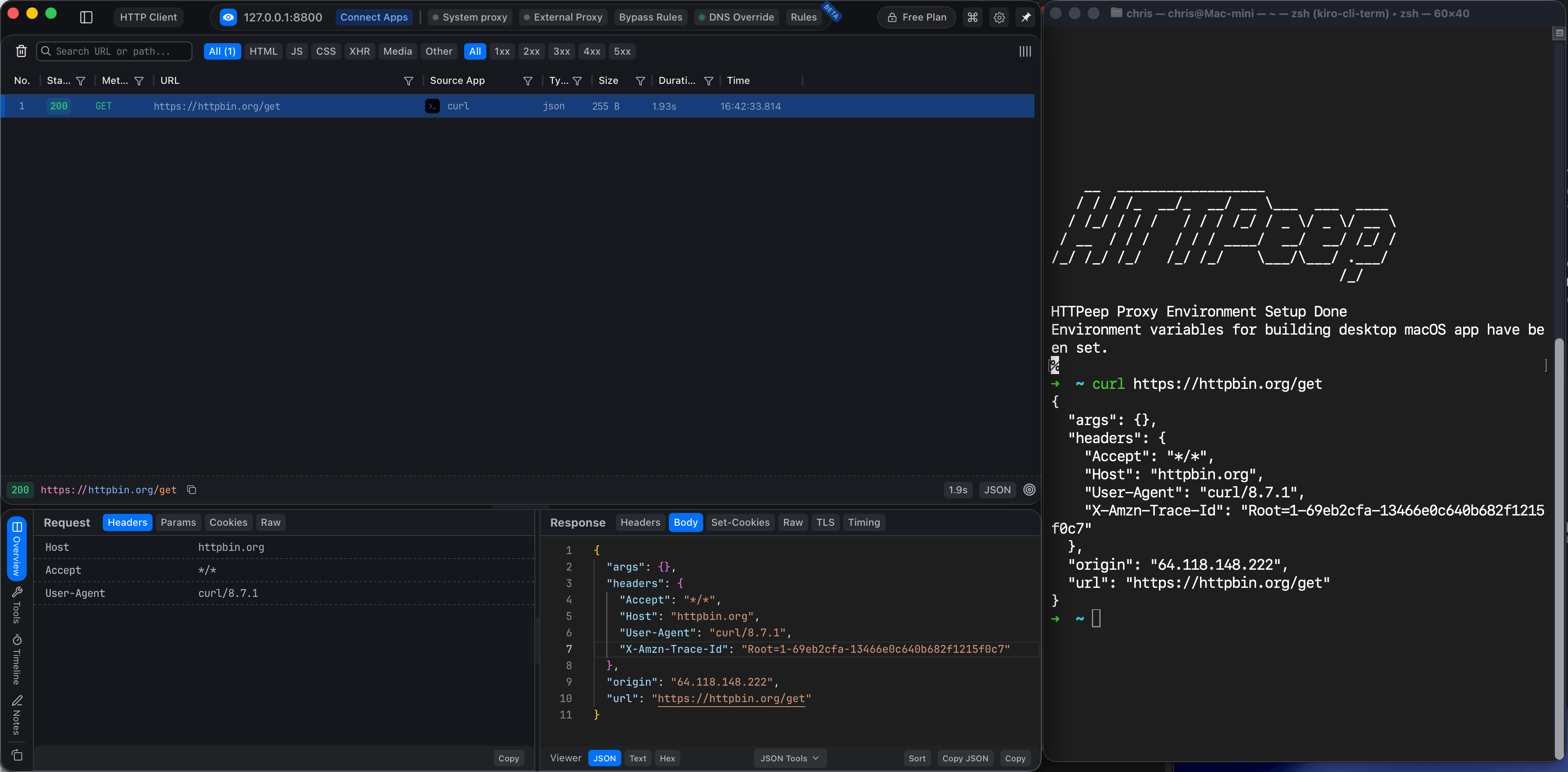
Run the following command in your terminal:
curl -v https://httpbin.org/getThen return to HTTPeep and check whether httpbin.org appears in the session list.
3. Explicitly Set Terminal Proxies (Recommended)
The easiest scoped setup is:
hp shellThis opens a child shell with HTTPeep proxy variables and runtime hooks already loaded. Commands launched from that shell, including curl, package managers, Node.js, Python, Ruby, and JVM tools, inherit the capture environment.
See CLI Shell for details about generated setup files and httpeep_intercept_off.
To make script behavior predictable, we recommend explicitly setting the proxy environment variables:
export HTTP_PROXY=http://127.0.0.1:8080
export HTTPS_PROXY=http://127.0.0.1:8080
export NO_PROXY=localhost,127.0.0.1
Then run again:
curl -v https://example.comYou should now reliably see this session in HTTPeep.
Screenshot placeholder (replace)
Suggested file: /images/get-started/capture-terminal/02-session-hit.png
Suggested view: HTTPeep session list showing the example.com request from Terminal.
4. Handling HTTPS Request Failures
If you encounter TLS/certificate-related errors, troubleshoot in this order:
- Confirm the HTTPeep Root CA is trusted on your system.
- Close and reopen Terminal so the new certificate/proxy settings take effect.
- Use
curl -vto inspect handshake logs and identify the failure stage.
For temporary diagnostics, you can skip certificate verification with -k:
curl -vk https://example.com-k is for temporary diagnostics only. Do not use it routinely in daily debugging or automated scripts.
5. Quick Self-Checklist
- HTTPeep is in the Start state
- Terminal has correct
HTTP_PROXY/HTTPS_PROXYset - Target domain is not excluded by
NO_PROXY - Root CA is installed and trusted
- Request is actually sent (verify with
curl -vfirst)